Yeap Verify
Two-factor sign-in for your own apps: push approval with number matching in the Yeap Verify app, TOTP and backup codes.
Yeap Verify adds a second sign-in step to your own apps: an intranet, an admin panel, a VPN portal or any service you run. When someone signs in, Verify asks the user to approve it on their phone, and your app gets the answer.
Yeap Verify is in public beta.
Ways to verify
| Method | How it works |
|---|---|
| Push approval | Your app shows a number. The user opens the request in the Yeap Verify app, enters the same number and confirms with fingerprint, face or screen lock. Requests expire after 60 seconds |
| TOTP | A 6-digit code from Yeap Verify or any authenticator app. Works offline |
| Backup codes | One-time codes the admin hands out, for a lost or broken phone |
Number matching stops "push fatigue": a user cannot approve a request by accident, because they need the number shown on the sign-in screen. If a user taps This wasn't me, the admin gets an alert.
Where to manage it
Verify uses the same team as Yeap Access. In the console, open Security → Access & Verify to see your team, its plan and its sign-in page <team>.verify.yeap.cloud. Click Open dashboard and open Yeap Verify in the team dashboard to manage users and apps.
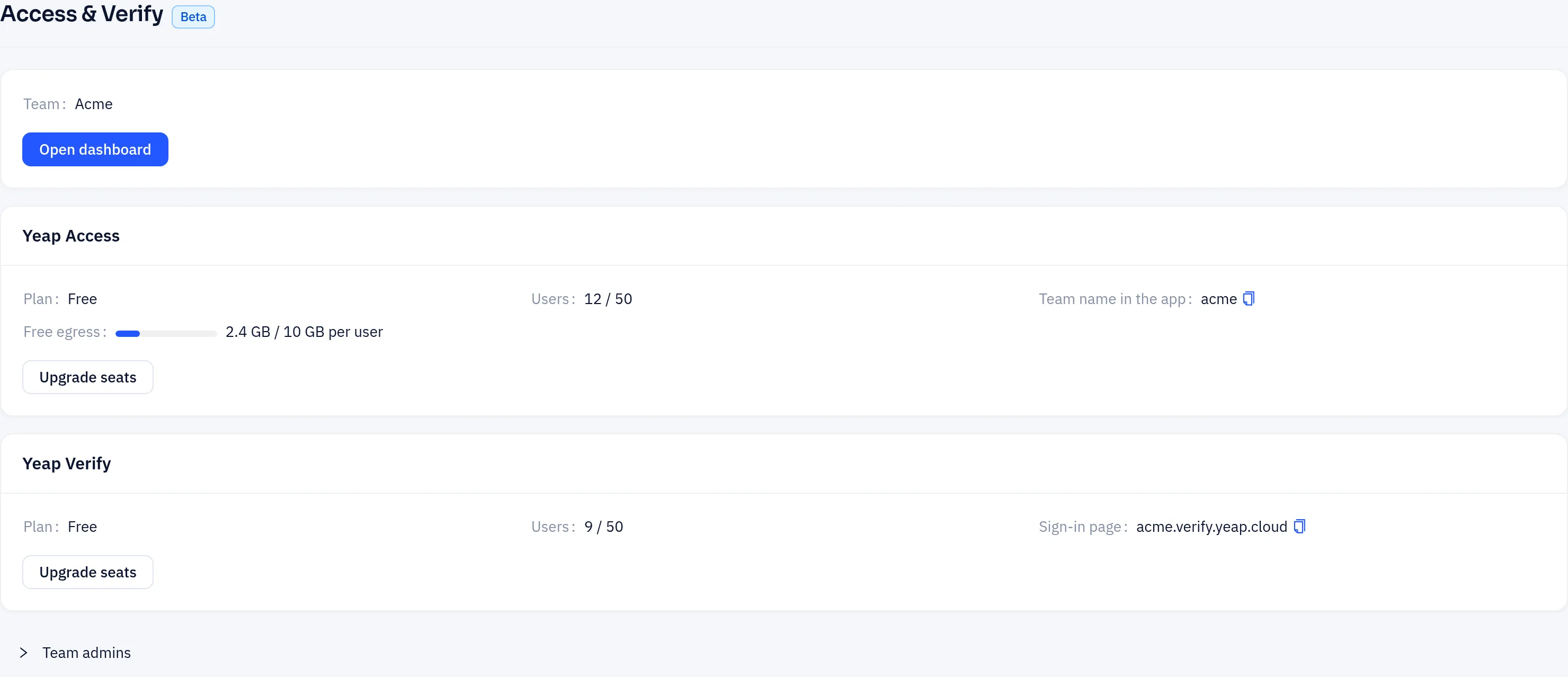
Verify is free for up to 50 users. Seats and expiry work as for Access; see Plans and billing.
Start here
| Page | What it covers |
|---|---|
| Get started | Add users, enroll phones, TOTP and backup codes |
| Integrate your app | Hosted OpenID Connect sign-in and the signed server API |