Plans and billing
Free and paid tiers, public egress, seats beyond the 50 free users, and what happens when a plan expires.
Yeap Access and Yeap Verify are each free for up to 50 users per team. You pay only for users beyond the first 50, per user. The current price is shown on the product page and in the Upgrade seats dialog.
Billing is managed by the team owner in the console: Security → Access & Verify for Access and Security → Access & Verify for Verify. The two products have separate seats and plans.
Free and paid tiers
| Free | Paid | |
|---|---|---|
| Users | Up to 50 | 50 free, plus the seats you buy |
| Private networking (devices, Connectors, DNS, access rules) | Included | Included |
| Public egress | 10 GB per user per month, rate-limited | Unmetered |
| Port 25 (email) and BitTorrent through public egress | Blocked | Blocked |
Public egress
Public egress sends users' internet traffic through Yeap's gateways, like a VPN for web browsing. It is off by default. To turn it on, open Traffic → Public egress in the team dashboard, tick Send internet traffic through the gateway, choose Full tunnel or Only these prefixes, optionally limit it to some Groups, and click Save. The badge shows your tier.
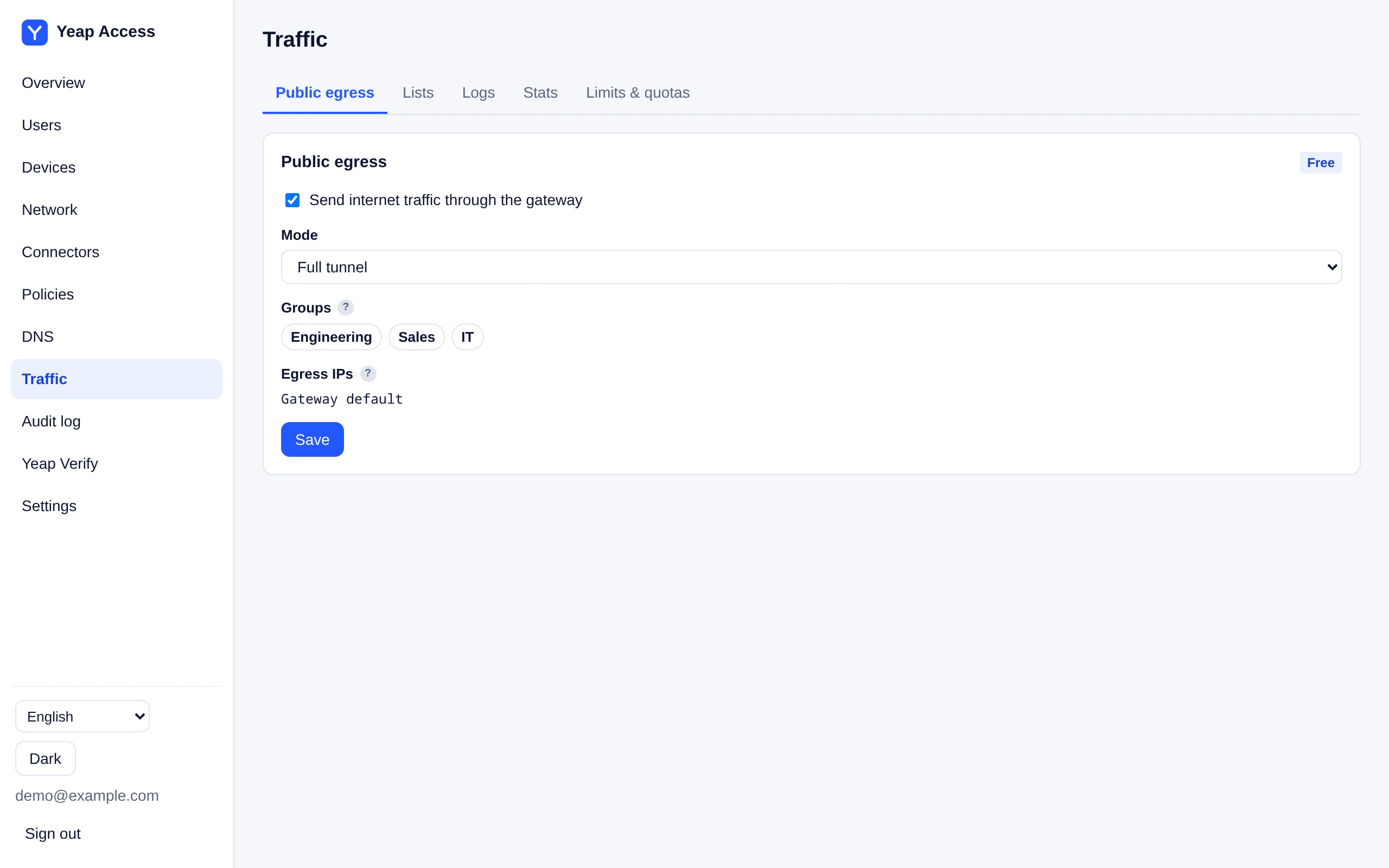
On the free tier:
- The 10 GB is per user, not per team. A user who reaches it has public egress blocked until the next month. Private networking keeps working.
- The team owner's Yeap account must have a verified email address. The console shows Verify your email to use free egress with a link to resend the email.
- Free egress is available once per device and network. If it was already used, the console shows Not available.
The console's Free egress line shows the busiest user's usage this month.
Add seats
When all seats are used, new users cannot be added. Existing users keep working.
- On the console page, click Upgrade seats.
- Enter the total number of Users. The first 50 are free; you pay for the rest.
- Choose the Billing cycle and click Add to cart, then pay the order.
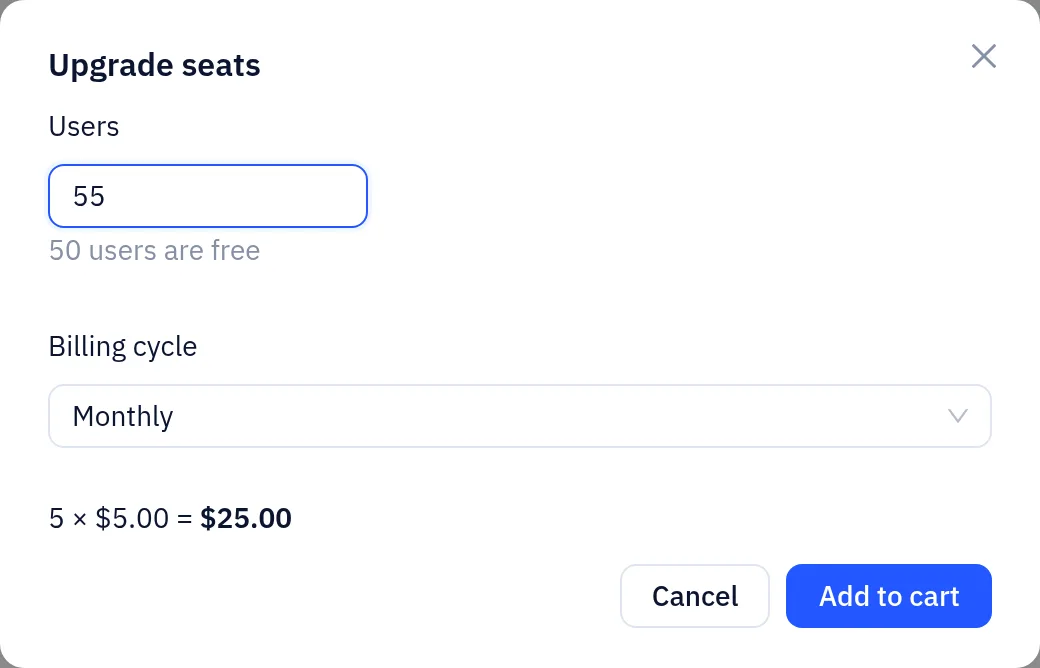
With a paid plan, click Change seats instead. More seats are charged at once for the rest of the current period. Fewer seats take effect at once and lower the next renewal. You cannot go below the number of users you have.
When a plan expires
If a paid plan is not renewed:
| Days after expiry | What happens |
|---|---|
| 0–3 | Everything keeps working. The owner gets a daily reminder |
| From day 4 | Service stops: devices cannot connect and Verify no longer approves sign-ins. The dashboard stays open for viewing, exporting and renewing |
| From day 7 | The team is disabled. Data is kept |
| 30 days after it is disabled | The team's data is deleted. Reminder emails are sent 7 days and 1 day before |
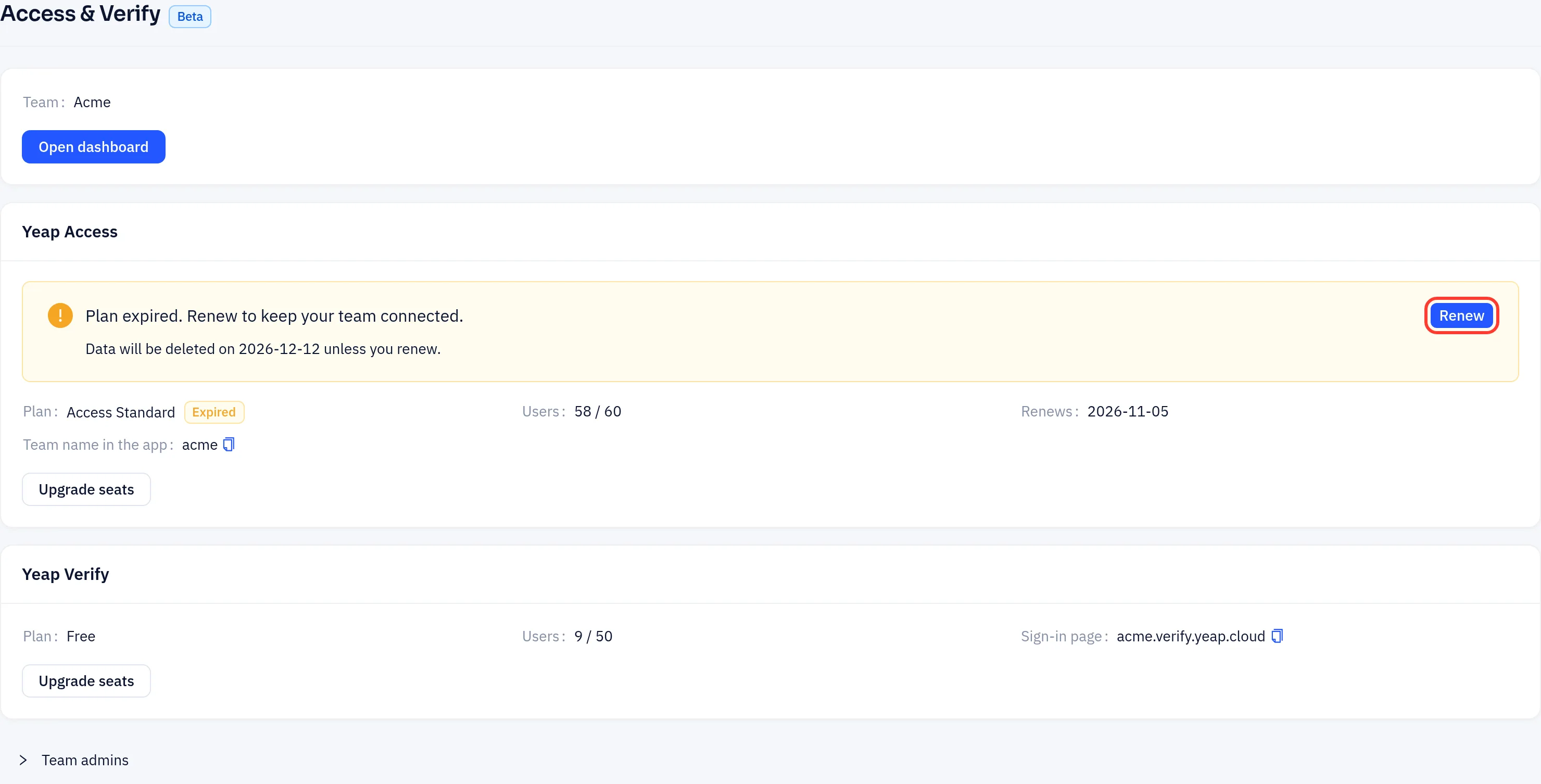
Click Renew at any time before deletion and everything is restored at once. If you have no more than 50 users, you can click Use free plan instead to return to the free tier.