Getting started with Yeap Disk
Open your free personal drive, check storage and direct-link traffic, and upgrade when you need more space.
Every Yeap Cloud account has a free personal drive. This page shows how to open it, read its usage, and get more space.
Open your drive
Go to Storage → Cloud Drive and click Open Drive. The drive opens in a new tab at disk.yeap.cloud, already signed in with your console account.
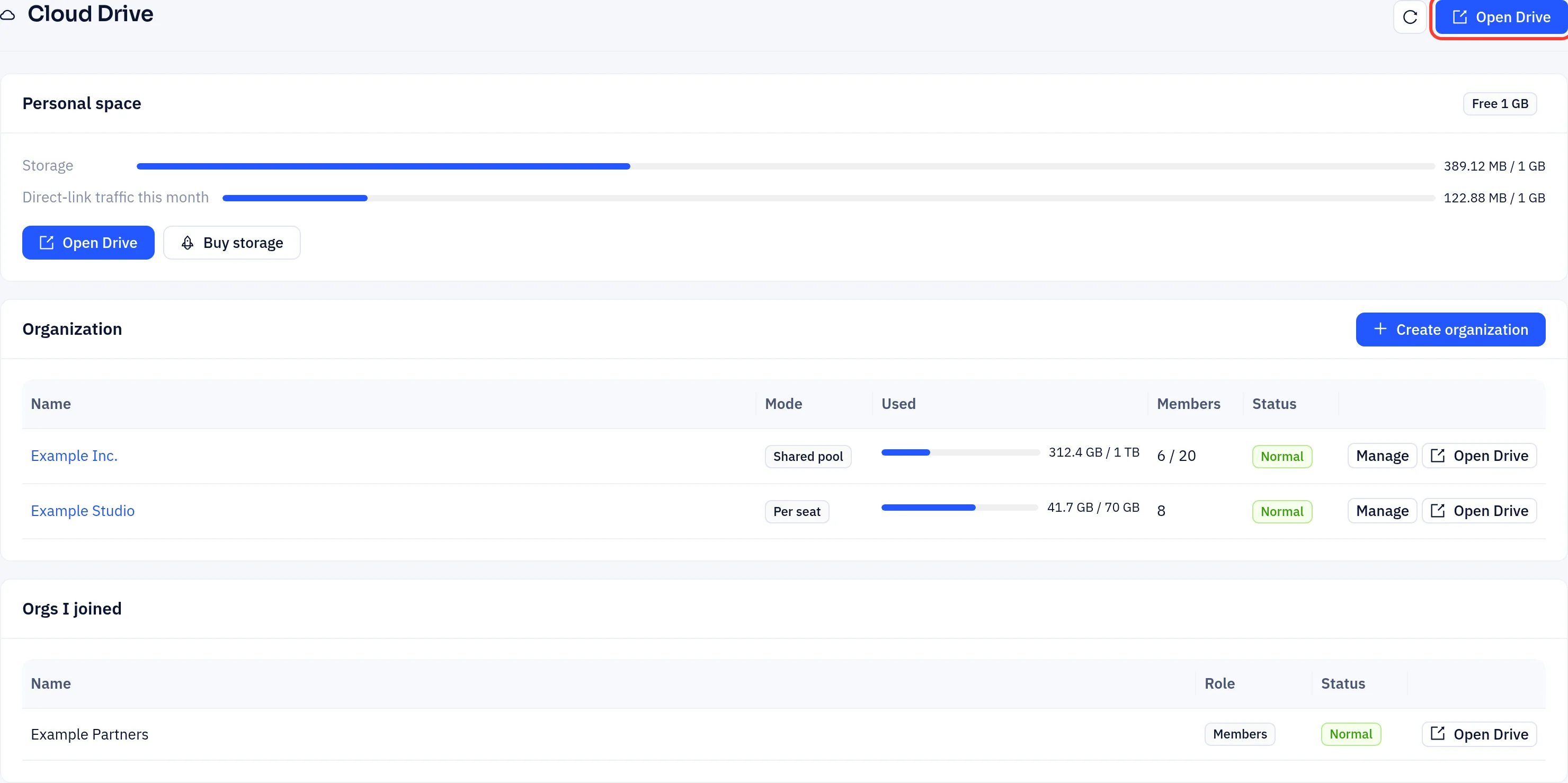
You can also go to disk.yeap.cloud directly and sign in with your console account.
Personal space
The Personal space card shows two meters:
- Storage: space used out of your plan's limit. The free plan includes 1 GB.
- Direct-link traffic this month: downloads of your files by other people, through direct links and public share links. The free plan includes 1 GB a month, and the counter resets every month.
Opening and downloading files yourself in the drive doesn't count. On the free plan, when the monthly traffic is used up, other people can't download through your links until the next month. On a paid plan, Add-ons shows whether extra traffic is billed per GB or downloads stop at the limit, and you can buy a traffic pack there.
Get more space
- On the free plan, click Buy storage. Pick a Personal plan, choose the billing cycle, and pay the order.
- On a paid plan, click Upgrade / change plan. An upgrade is charged for the remaining days of the current period and applies after payment. A downgrade takes effect at renewal.
- Paid plans also show Add-ons, where you can buy extra items such as a traffic pack for the current period.
If a paid plan expires and isn't renewed, the card shows the date after which the drive files will be deleted. Renew or upgrade before then to keep them.
Organizations
The Organization card lists drives you own for a team. Orgs I joined lists organizations other people added you to. Click Open Drive on a row to open that drive. See Organizations.